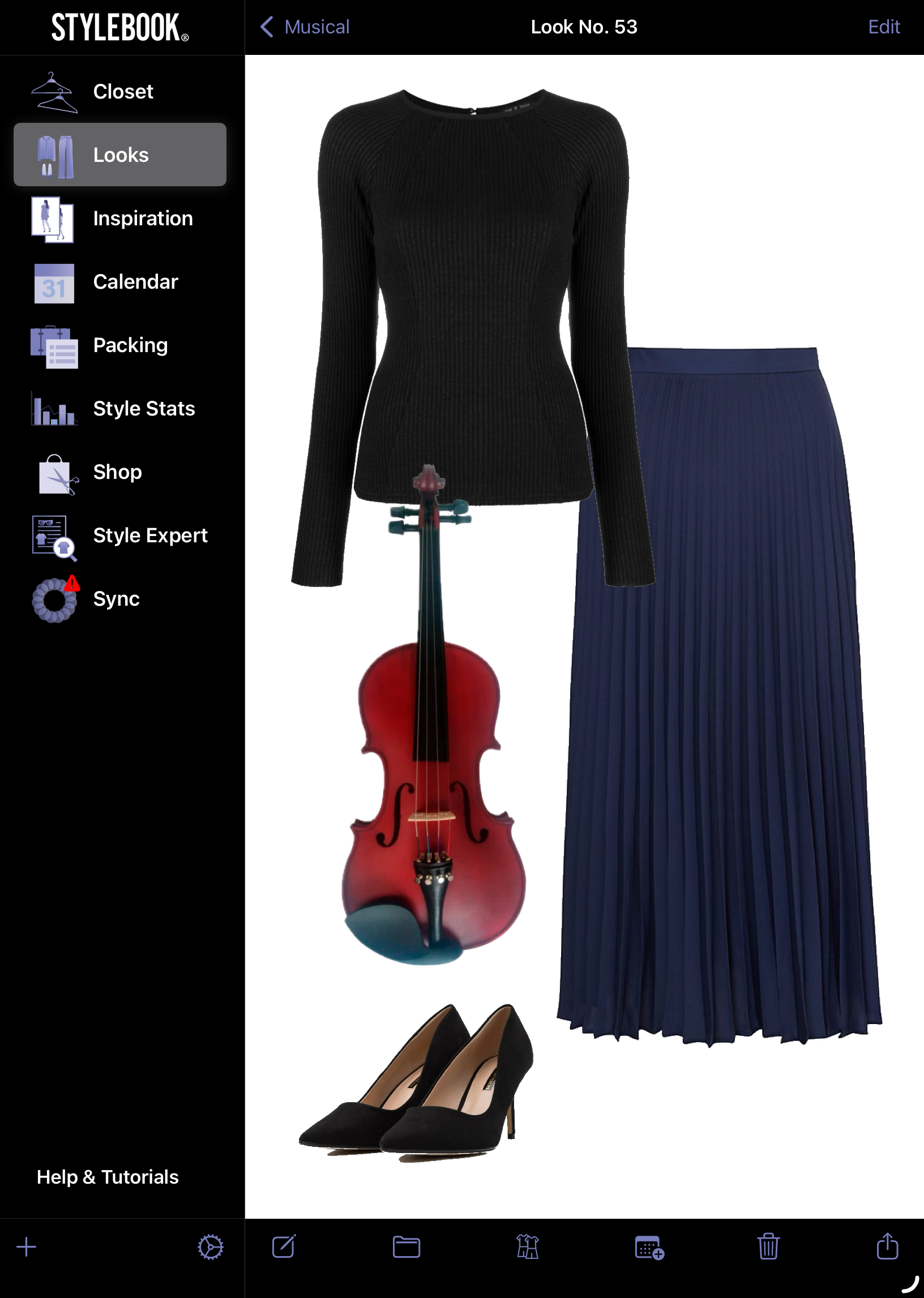
I’m one week into my new job, so I’m still figuring out my my new style for this new chapter. I do believe looking good is key to feeling good. Of course, I remind myself that work isn’t always sunshine and rainbows, but looking like I rolled out of bed and got dressed in the dark won’t do my moods any favours.
I wear a blazer and dress pants almost everyday, which despite sounding rigidly uniform actually gives me plenty of options and leeway on what to layer underneath: a plain white t-shirt, a chiffon blouse, a ribbed halter, pretty much almost anything I want.
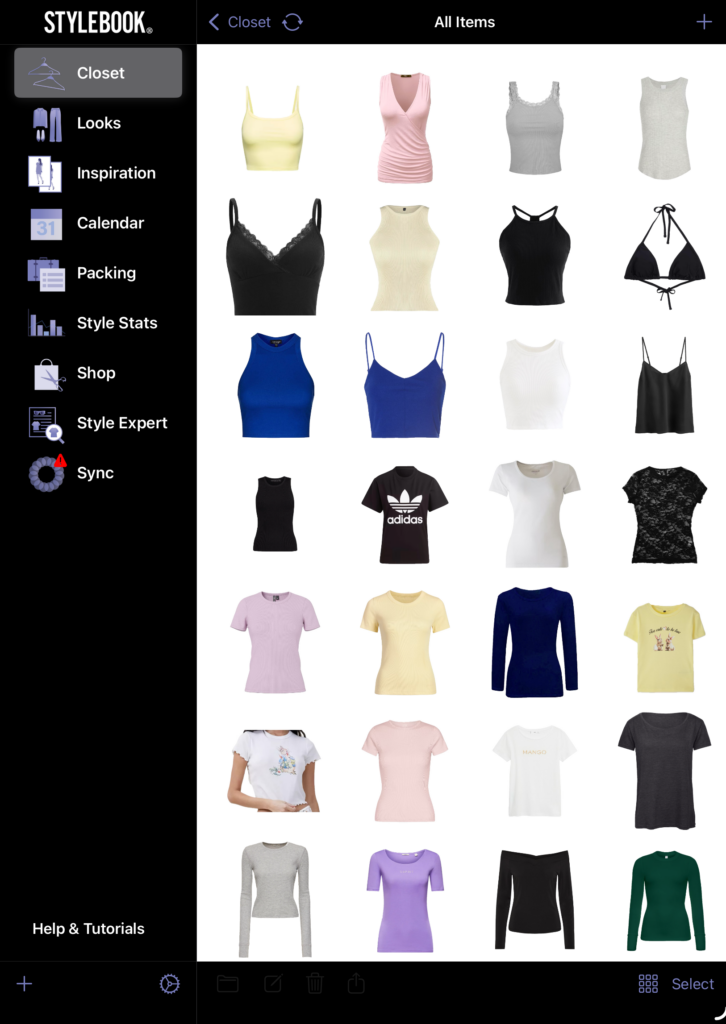
I use an app called StyleBook on my iPad to organise my closet and outfits. I’ve added bags, clothes, jewellery, accessories, and even my violin and cello (as ‘other accessories’) to the item gallery.
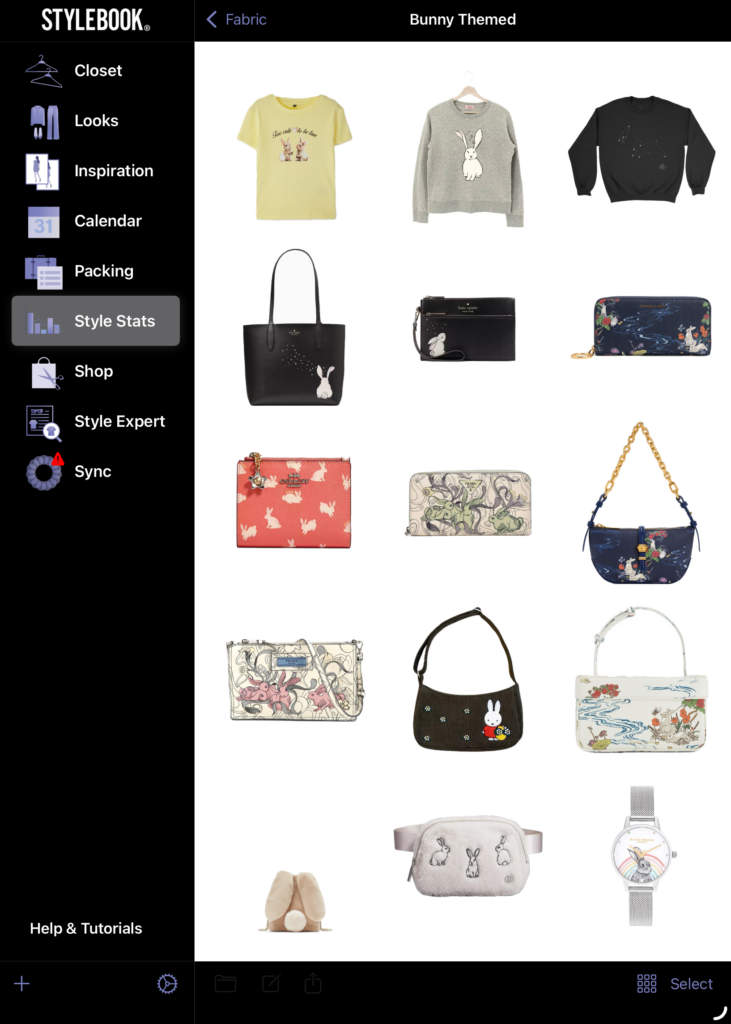
This is my bunny-themed collection. I may have missed out on a few things that I hadn’t gotten around to adding yet.
I logged as many of my clothes/accessories as possible, excluding things I’ve retired. My body has changed radically since my halcyon university days, where I could buy an XS t-shirt without even trying it on (now, I have to buy everything in XL and even then there’s no guarantee it’ll fit). I’ve stopped trying to squeeze into clothes that make it hard to breathe or move in because I prioritise comfort more.
There’s no point adding in clothes that are now three sizes too small, or things I don’t plan to wear anymore in the foreseeable future. Like that taekwondo uniform that I haven’t worn in years. Or that silver dress watch I bought in 2012 that I can’t wear anymore ever since I started doing strength training (I don’t plan to give it up, so I suppose this increase in forearm diameter is permanent, ergo the watch will never fit my wrist again unless I’m okay with losing blood circulation in my left hand…).
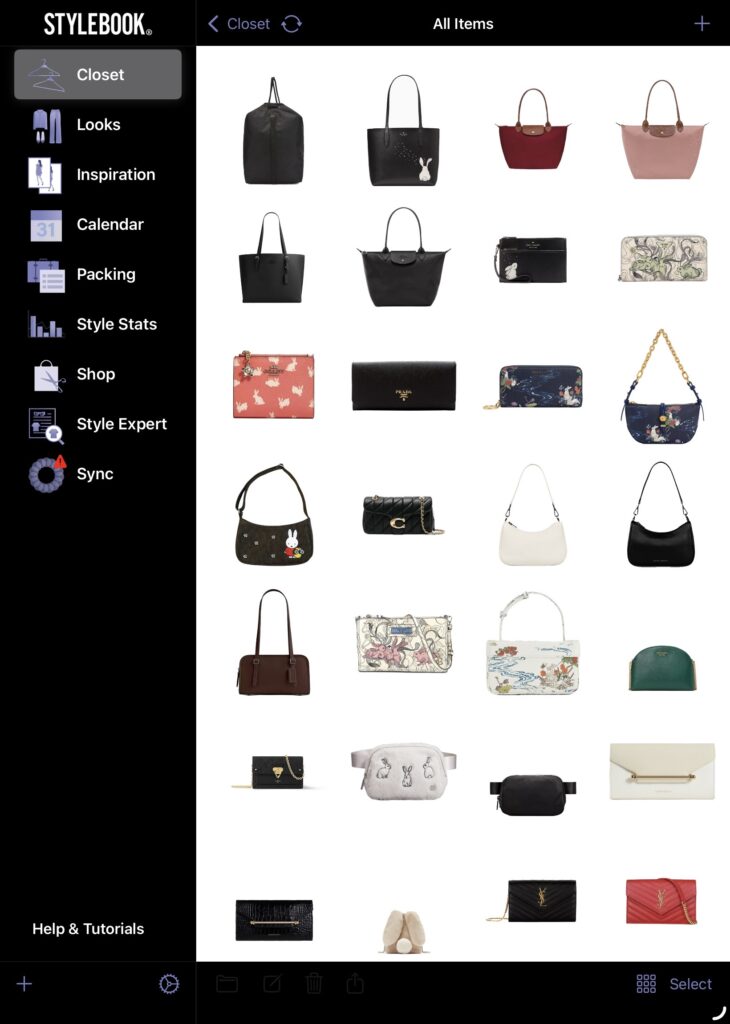
It’s really eye-opening to see how many bags I have amassed over the years. It tells me that I don’t need another new one as badly as I thought. I’d rather focus on maximising the use of the ones I currently have, because the more bags I have, the less special each bag feels individually. And my bags deserve to be brought out more often.
I have enough clothes on the app that I can spend hours going down the rabbit hole of ‘shopping my closet’. It’s a fun way to chase that dopamine hit without having to actually buy anything. Trying different outfit combinations engages the puzzle-lover in me. I like throwing an outfit together and then mentally stepping back to see if it’s worthy of being archived under the Looks folder as a blueprint for future outfits.
Adding Items
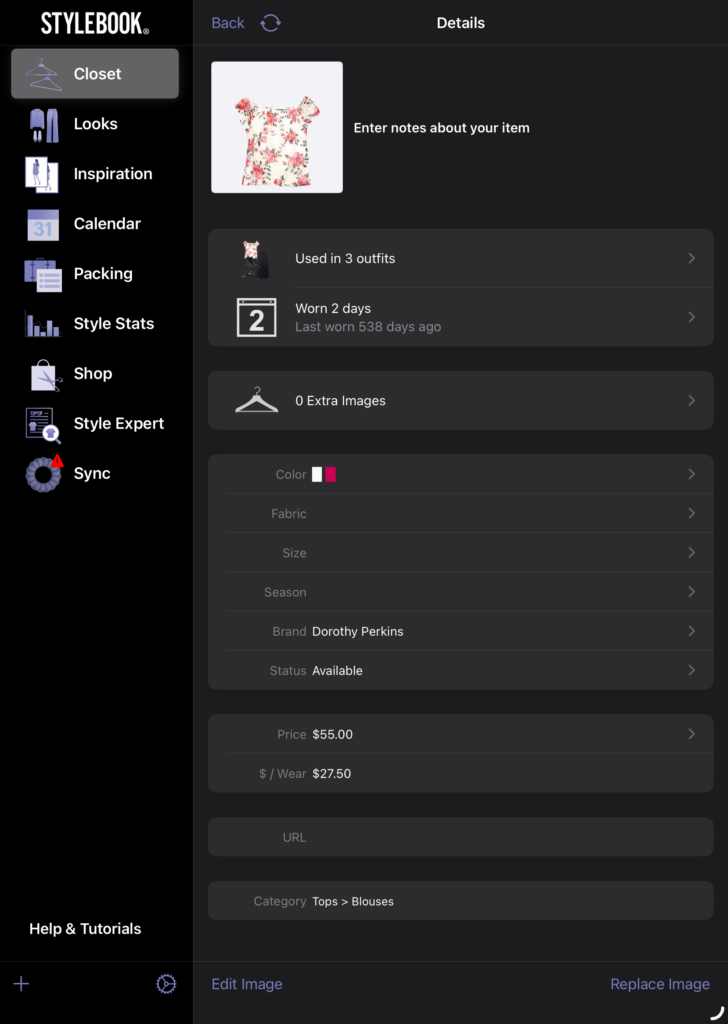
I add an item to the database by importing a picture of it first. Usually I just pull up or clip the original photo if it’s available, or if not, I’ll just look for the closest looking photo there is as an alternative. There is also the option to lay the actual clothing item flat and take a picture of it and then erase the background, but I feel like my clothes just look extra wide when I lay them flat for a picture. I try to add as much data as I can find or remember (though sometimes if I’m lazy, I leave things like size and fabric blank) so that it will show up across more analytical metrics when I load the style statistics.
There are plenty of useful features on the app, but these are the ones I use the most:
Outfit Shuffle
Sometimes when I need a little inspiration, I’ll use the shuffle feature to generate a variety of outfits for me. Sometimes it produces decent or interesting combinations that I’ll happily add to my Looks collection.
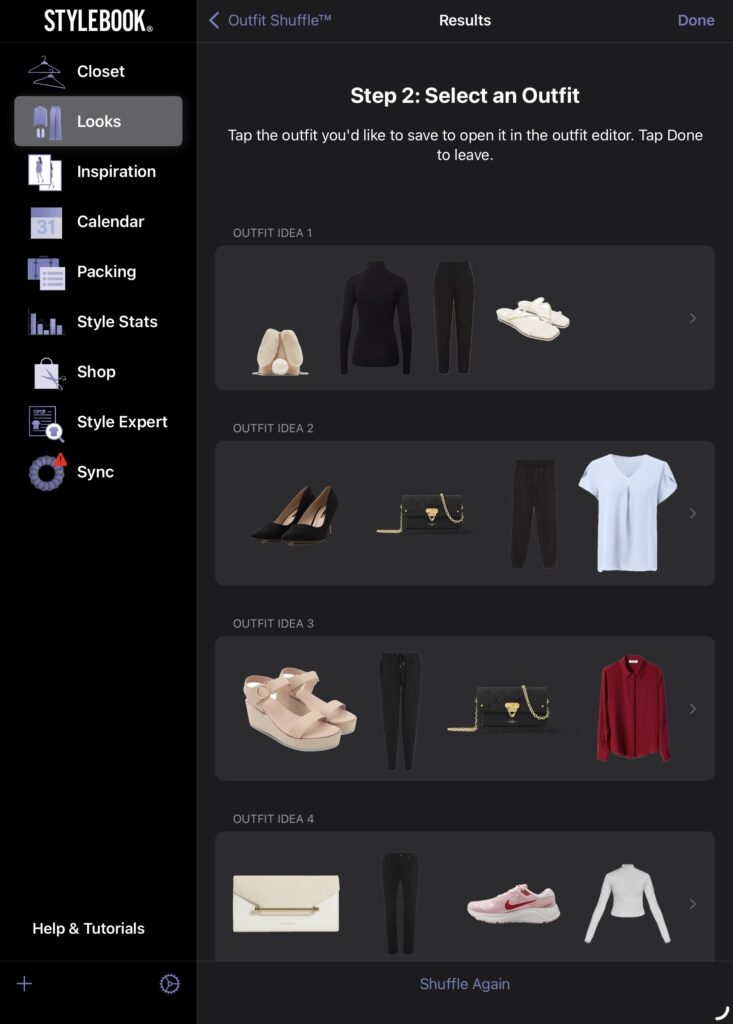
But since it’s randomised, the shuffle results can be a little amusing sometimes. Like when it puts together a look containing a crimson red sweater and khaki green joggers. Sometimes it gives me a look where about 3/4s of the individual clothes components complement each other. I’ll still save it and just change whatever it is that sticks out like a sore thumb, to something more befitting of the overall look. Outfit Idea #2 here is a respectable selection containing black pumps, a monogrammed wallet on chain, a blue chiffon blouse, but the cherry on top is the lint-strewn drawstring fleece sweatpants it threw in, so I’ll have to change those to something like work slacks instead.
Calendar & Cost Per Wear
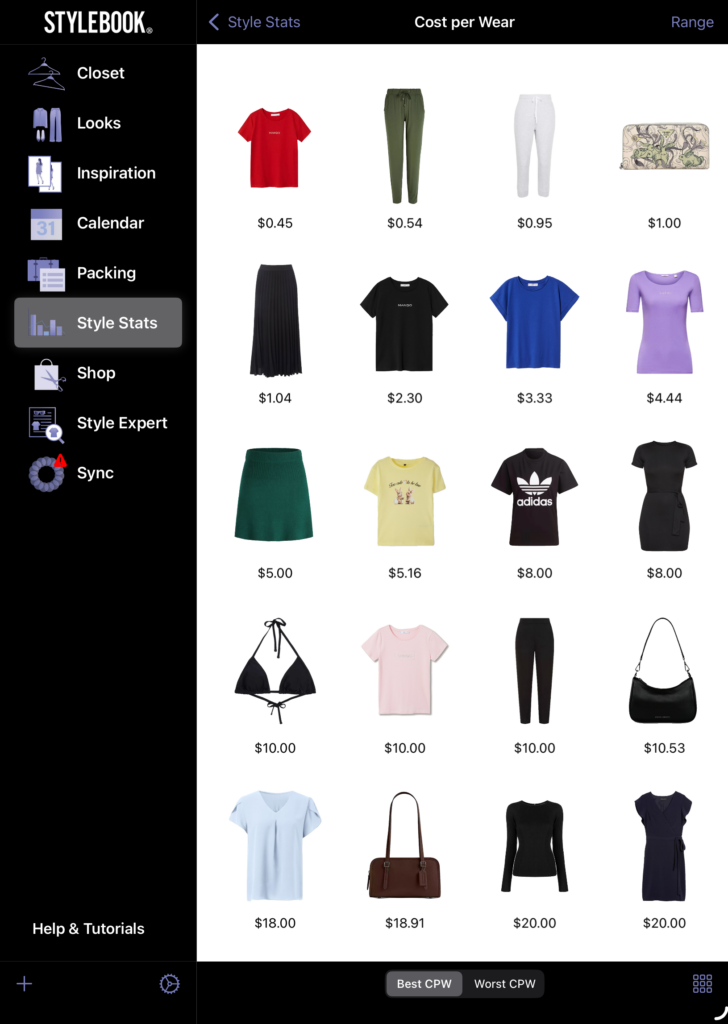
The CPW (under ‘style stats’) for an item of clothing goes down every time it’s logged on the calendar as worn that day. If it was bought years ago and I can’t remember the original price, I just note it in the description and assign a higher cost price, usually $40 for prudence; it requires me to wear it more regularly to reduce the CPW compared to if I just costed it at $10 or $30 which takes fewer wears to get it below my target CPW and is less of a motivation to wear it more often and drive the CPW down.
I’ve set a personal goal to reduce as many of my closet items’ CPW to below a certain threshold as possible (for now, the threshold is @ $5; I don’t want to be too ambitious and set unattainable goals). It’s a long game, but it’ll make me actually wear and rotate my clothes more, especially the more neglected ones or the ones sitting at the back of my closet which I tend to forget existed until I scroll past them in the app.
I prefer to sort the items in descending order of CPW to get insights into what I should wear more often to justify the initial purchase price. For things that were gifts, like wallets or clothes, I’ll just put $1 as the purchase price. It won’t calculate the CPW at all if I just leave the purchase price @ nil, so I have to assign a value.
I’ve owned some of these clothes for longer than I’ve had the app, so some of these CPW figures are overstated (you can take me out of audit, but you can’t take the auditor out of me, haha) since I’ve worn them more times than logged them. And I didn’t really log my clothes religiously the last couple of years. I am making more of an effort to try to fill up my closet calendar at least a few times a week. My current streak for daily outfit-logging is several weeks straight and counting.
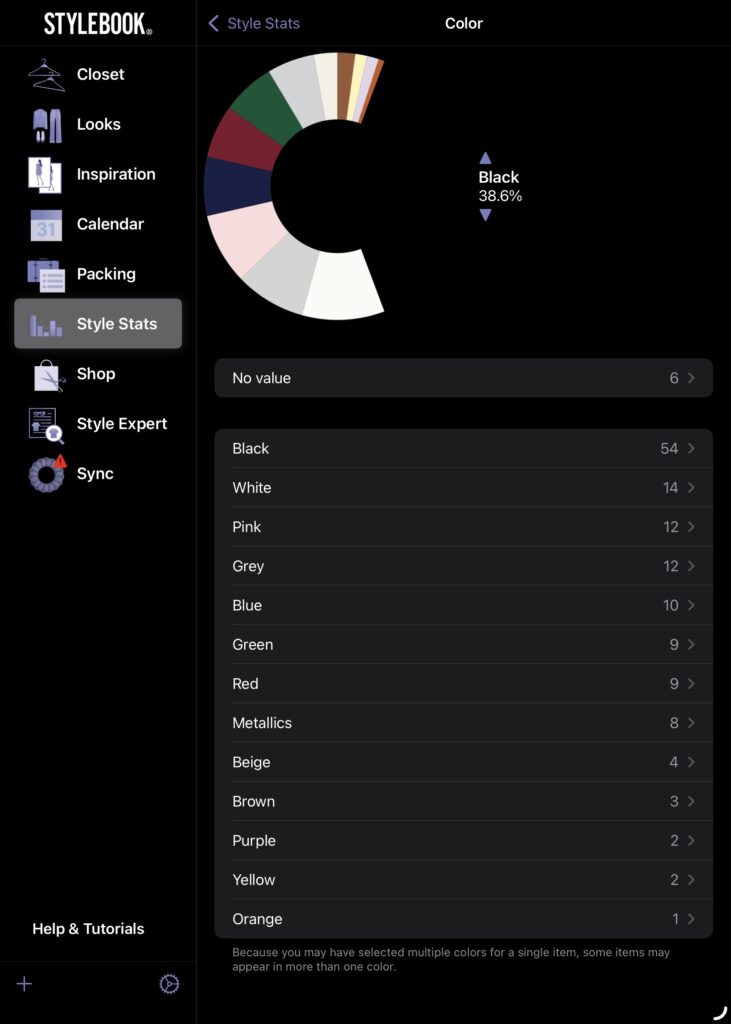
CPW aside, there are also other features under style stats, like the option to show all the clothes that have never been added to any looks, or entered on the calendar, to give additional perspectives on what items need more attention. The Most Worn and Least Worn summaries are also worth looking at. For example, I notice my ‘most worn’ is dominated by black clothes and bags, so I need to start wearing more colours to achieve my CPW goals above.
Looks & Packing Lists
There are categories for different types of looks, like ‘date night’, ‘formal’, and so on where you can save your outfit ideas according to the occasion.
The vacation category is my favourite one to work on, because my head is always in the clouds and now that I’m working again, I’m already looking forward to my next big vacation at the end of this year. I don’t really wear sleeveless anything here to avoid incurring the ire of misogynistic boomers, so I always take the chance to wear all my comfy tank tops, camis, and short skirts/dresses when travelling overseas.
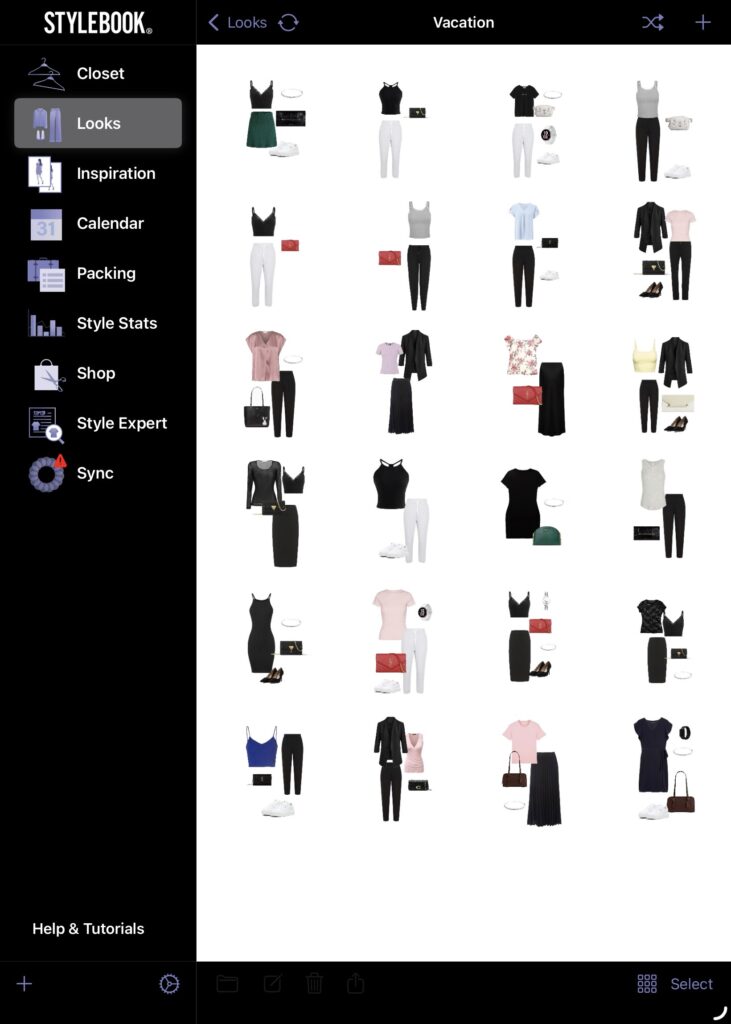
When I was a kid, I used to play paper dress-up doll games with my cousins and classmates. We would make tiny paper mannequins and then draw some clothes and then cut them out and slip them over the paper mannequins. It’s sort of like doing that.
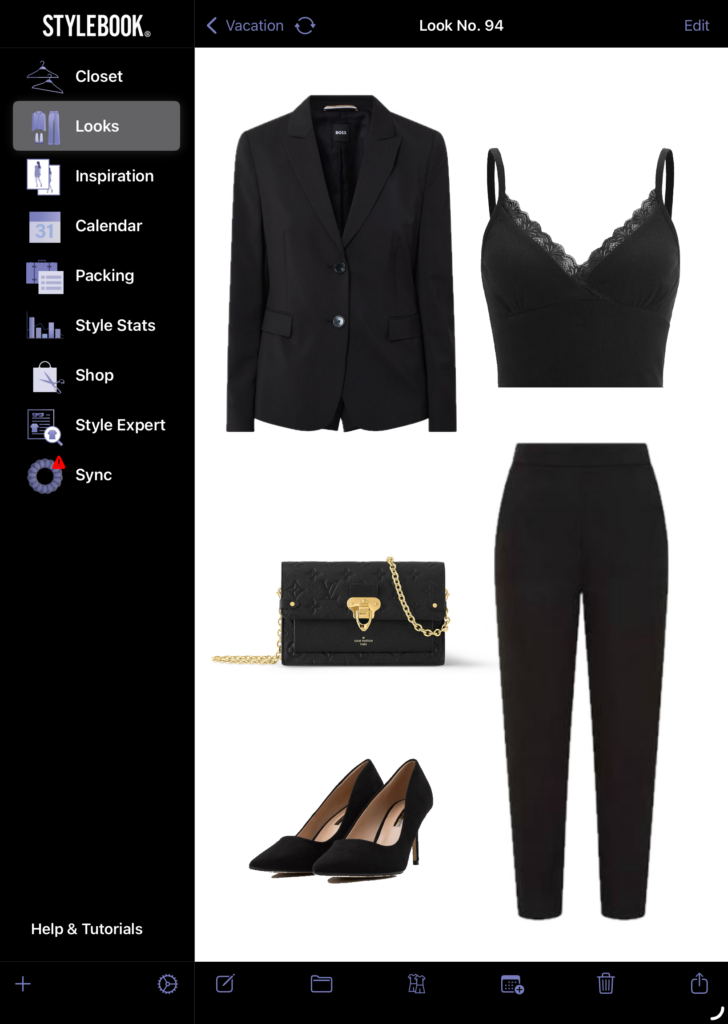
In the Looks feature, I get to add as little or many items as I want, resize them freely, and layer individual items in front or behind other items.
The packing list feature is handy for travel prep. After I put together an outfit for each day of the trip in the Looks section, I add all the individual garments to the packing list. Then, I can just rummage through the closet for all the clothes I need on autopilot based on the completed packing lists without devoting any more thought to the process. It beats sitting cross-legged in front of my closet, unsure of what look I’m going for, pulling clothes out at random and putting them back which is oft to happen when I try packing in the absence of a clear direction.
Features I Haven’t Used Yet
- There’s an Inspiration tab where you can add looks from external sources as styling references, but I already have Pinterest boards and I try not to take up any more space (if I can help it) on my iPad which is already almost 5 years old.
- Since I’m using this app to make me rotate my clothes more versus buy more clothes, I don’t use the Shop feature, so I’m not sure how it works.
- The Style Expert tab contains links to fashion guides and where to get clothes. I haven’t tried reading any of the guides yet.
So basically, I use StyleBook to digitally itemise my closet, structure my travel outfit planning, and keep my handbag purchasing habits in check. Their last major app update was a couple of months back in 2025, and it came as a surprise because it had been a long, long time since the preceding update. After I quit my previous job, I had a lot of free time to tidy up and organise my clothes in the app, which reignited my interest in it again, as I had been using it sparingly before then. I hope there’s another surprise update in the near future with even more interesting features!